VideoBuff
Edit it yourself. Or let Claude do it. It even makes the animations you have in mind.
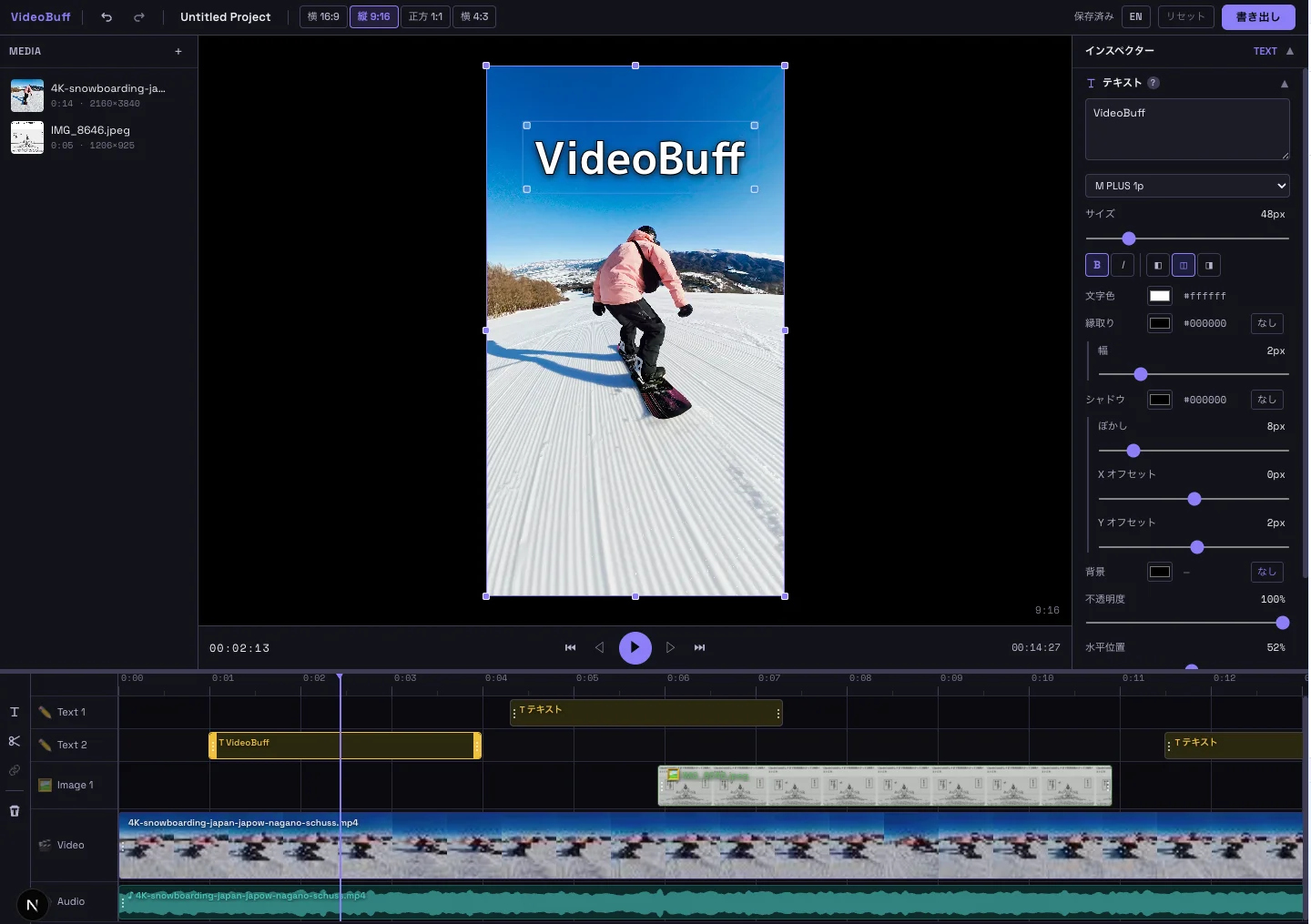
Ask Claude, or do it yourself.
Fast, full-featured video editing — right in your browser.
Let Claude Edit
Just say "tighten the silent gaps" or "add a title" in chat. Claude trims, adds text and adjusts color, checking the actual frames as it goes.
Animations by Claude
Animated titles, diagrams, 3D logos and lettering. Describe what you have in mind, and Claude builds it with GSAP and three.js, right on your timeline.
Auto Captions
Speech becomes captions automatically. Japanese and English, with translation to English, plus karaoke-style captions that light up word by word. Audio is processed in your browser and never uploaded.
Multi-Track Timeline
Layer video, audio, text and images on as many tracks as you need. J/K/L, C and other Premiere / Final Cut keys work as you'd expect, so your muscle memory carries over.
Color Grading
One click for a cinematic look. 16 presets, plus 14 controls such as exposure, temperature and vignette for fine-tuning.
Audio Mixing
Clear narration, balanced music. Presets get you there in one step, with a 3-band EQ, compressor and noise gate for fine control.
Transitions
Smooth cuts between scenes. 7 types including dissolve, blur, zoom and wipe, each adjustable at the start and end.
Speed Ramping
Slow motion and fast-forward with smooth easing. 0.1x to 10x, and voices keep their natural pitch.
High-Quality Export
Save your finished video in up to 4K. H.264 / H.265 at 24, 30 or 60fps, all rendered in your browser.
Keyboard-First Workflow
The shortcuts you already know from Premiere Pro and Final Cut, plus a ⌘K command palette for everything you don't.
Privacy First
No Server Upload
Your video, audio, image, and project data never leave your device. All editing happens locally in the browser (anonymous usage stats may be sent for improvement).
Local Storage
Projects auto-save to browser storage. Assets persist via OPFS across sessions.
No Account Required
No sign-up or login needed. Just open the URL and edit.
FAQ
Is VideoBuff free?
Yes, everything is free. No account, no credit card. The extension that connects Claude is free too (how much you can use Claude itself depends on your Claude plan).
What can Claude do for me?
Two things. First, the editing work: ask "tighten the silent gaps," "make every title the same size" or "match the colors," and Claude does it while checking the actual frames. Second, making animations: titles, diagrams, charts, 3D logos and lettering, built with GSAP and three.js from what you describe and placed on your timeline. Ask "slower" or "make it blue" and Claude revises them.
How do I connect Claude? Does it work without Claude?
In Claude Desktop, download the extension (.mcpb file) and double-click it. It works from Claude Code too, in Chrome, Edge or Firefox (Safari blocks web pages from talking to the extension, so it is not supported). Without Claude, every manual editing feature works exactly the same.
Are my video files uploaded to a server?
No. Your media and edits are processed only on your computer, so confidential or unreleased footage never has to be handed to anyone. When you ask Claude for help, the frames and clip details Claude looks at become part of your conversation with Claude.
Which browsers are supported?
We recommend Google Chrome or Microsoft Edge on a computer. Firefox and Safari 26 or later also work, with some differences such as not being able to choose where exported videos are saved (they go to your Downloads folder). Claude integration is not available in Safari. iPhone and iPad are not supported.
What video formats are supported?
MP4 (H.264/H.265) and any video, audio or image your browser can play. Export is H.264/H.265 up to 4K.
Are my projects saved?
Yes. Your edits and media save automatically in your browser. Close the tab and pick up where you left off next time.
Can I use it on mobile?
Desktop only for now. The timeline and preview are built for a computer screen.
Start editing. Right now.
No download. No account.